The cell phone thread

For you iPhone users out there....

You may already know, but I finally took the time to figure out how to make my own ring tones. I was surprised at how easy it was.

Instead of using a editing program to cut the song you can use iTunes to start and end the song at any point.

1. Choose the song you want to use.
2. Right click on the song.
3. Select Info, then select the tab Options. (This is where you will notice a start and end time of the song)
4. Select the point you want to start the ringtone and end it i.e (start time = 0:00 End Time= 0:30) make sure you check the boxes then click ok. (Also be aware the you can choose the start time at any point in the song, it does not have to be 0:00 just make sure you choose a end time 30-35 seconds after that start time.)
5. Now you should be back in your library and right click on the song you want to use again and select convert to AAC. (If this option is not available you have to go to edit/preferences/advanced/importing and change the option IMPORT USING to AAC. Then it should be available)
6. After you convert to AAC you will notice a new song will appear with the same title but shorter.
7. Right click on the shorter version and select show in windows.
8. Select that file and right click on it to cut that file and paste it in your
my music/itunes/itunes music/ringtones folder. (Or any folder you choose)
9. After you paste it in the ringtones folder change the m4a to m4r. (Note you must have file extensions enabled to see/change them.)
10. It will ask if you are sure you want to use that? select yes.
11. Double click it to import it into iTunes.
12. In your music folder, delete the AAC file you created and change the start/end times back on the song.

Enjoy unlimited, easy ring tones.

 
Last edited:
When I got mine (I got it in black) the woman told me the only people who get the white one are people who want to show off that they have the 16 gig.

Just saying :)

Bigger's always better :dance2:

For you iPhone users out there....

You may already know, but I finally took the time to figure out how to make my own ring tones. I was surprised at how easy it was.

Instead of using a editing program to cut the song you can use iTunes to start and end the song at any point.

1. Choose the song you want to use.
2. Right click on the song.
3. Select Info, then select the tab Options. (This is where you will notice a start and end time of the song)
4. Select the point you want to start the ringtone and end it i.e (start time = 0:00 End Time= 0:30) make sure you check the boxes then click ok. (Also be aware the you can choose the start time at any point in the song, it does not have to be 0:00 just make sure you choose a end time 30-35 seconds after that start time.)
5. Now you should be back in your library and right click on the song you want to use again and select convert to AAC. (If this option is not available you have to go to edit/preferences/advanced/importing and change the option IMPORT USING to AAC. Then it should be available)
6. After you convert to AAC you will notice a new song will appear with the same title but shorter.
7. Right click on the shorter version and select show in windows.
8. Select that file and right click on it to cut that file and paste it in your
my music/itunes/itunes music/ringtones folder. (Or any folder you choose)
9. After you paste it in the ringtones folder change the mp4 to mpr. (Note you must have file extensions enabled to see/change them.)
10. It will ask if you are sure you want to use that? select yes.
11. Double click it to import it into iTunes.
12. In your music folder, delete the AAC file you created and change the start/end times back on the song.

Enjoy unlimited, easy ring tones.


thx
 
lg-enV2-1.jpg


This is my personal phone. It's alright, but it calls people all the time when I have it in my pocket.

BlackBerry-8830-Smartphone.jpg


This is my work phone.....It's nice, wish it had a camera....but other than that, it's not that bad!
 
What are y'all geeks in here talking about? This thread is staying at the top of the page when there are much more trivial matters that need to be tended to...
 
lg-enV2-1.jpg


This is my personal phone. It's alright, but it calls people all the time when I have it in my pocket.

BlackBerry-8830-Smartphone.jpg


This is my work phone.....It's nice, wish it had a camera....but other than that, it's not that bad!

pocket dialing sucks.
 
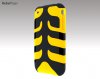
This is not the one I ordered, but very cool for those of us who like a little black with our orange.:)
 

Attachments

  • c.jpg
    c.jpg
    60.7 KB · Views: 0
I wanted something that would slide in and out of my pocket easier but didn't want just a hard shell. I also like that the CapsuleNeo has plugs for the jack and connector cable....even better since that's where the moisture sensors are.
 

Advertisement


Back
Top